Mum's WhatsApp calls go unanswered more and more often. How is Vieressa different?
In WhatsApp a call arrives in the middle of other apps: the right app has to be found, updates and notifications get in the way, and the device can end up in a state that is hard to get out of. Vieressa is always on their screen and always in the same view. Calling works by touching a face, with no apps or contacts to look for. In locked mode the device stays in Vieressa, so it cannot be muddled up by accident. When needed, the connection opens automatically.
Is the service suitable for a person with a memory disorder?
Yes. When a memory disorder has progressed so far that answering no longer works, the connection opens automatically. Once the family has given you the right to automatic answering, you open the connection from your own phone: the device shows on screen who is calling and answers by itself after 15 seconds.
I live abroad, and my mother or father lives in Finland. Does Vieressa work?
Yes. The Vieressa app can be downloaded from Google Play and the App Store in almost every country, and calls work from anywhere with an internet connection. Your loved one's device is set up on the spot in Finland, for example when you visit or with the help of a relative. After that you adjust the volume and brightness from your own phone and get a notification if the device's battery is running low.
How do I get started?
Press Start your free trial and create an account. The two-week trial starts as soon as the account is created, and no payment card is needed. You can also create the account directly in the Vieressa app, available on Google Play and the App Store.
What is Vieressa?
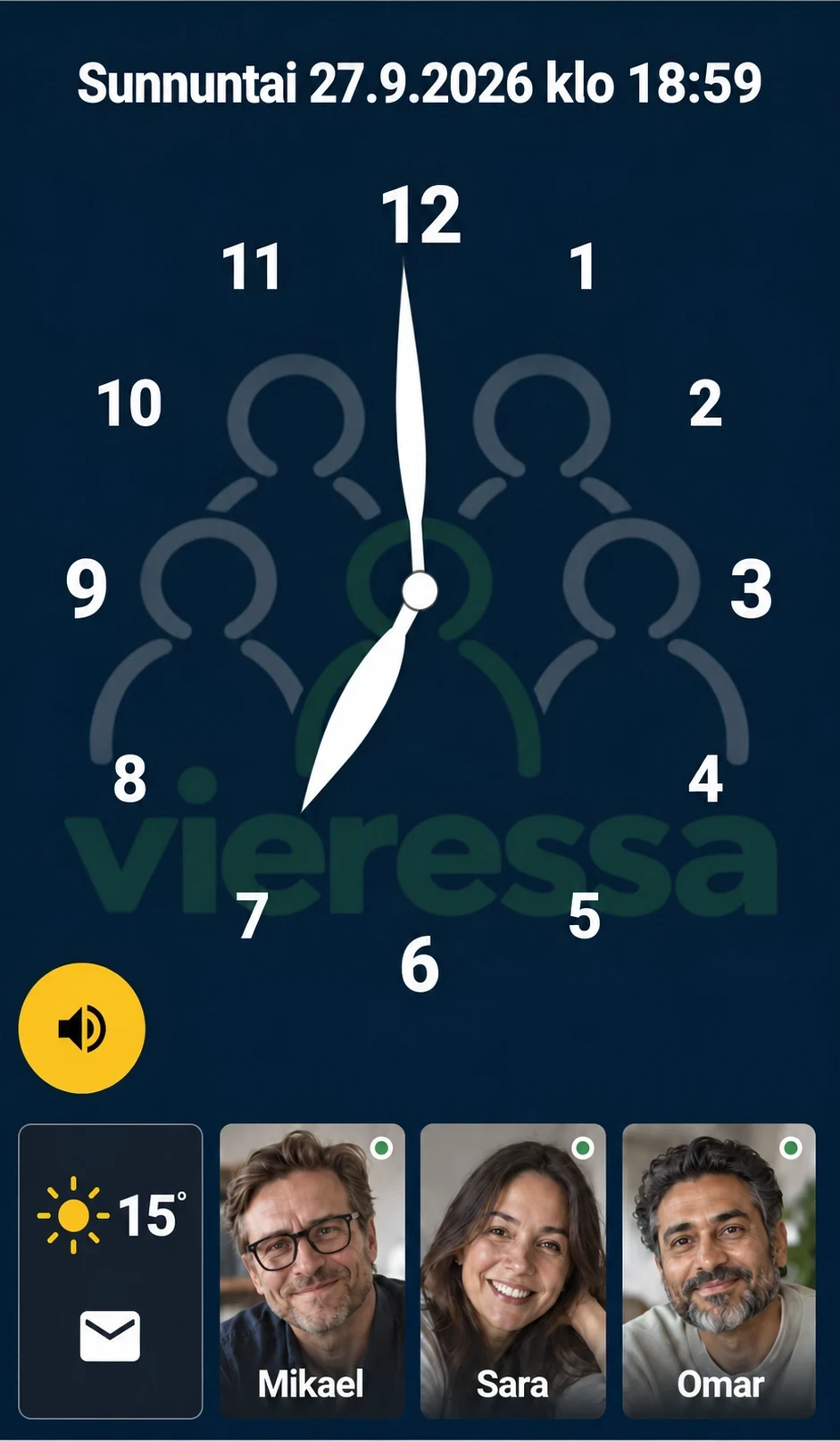
Vieressa is a video calling service that turns your loved one's tablet or smartphone into a video phone that is always on. The screen shows a clock and the photos of the people who matter, and there are no apps to open. You call from your own devices, and an incoming call fills the whole screen. When needed, the connection opens automatically. When they want to, they call you by touching a photo.
Who is Vieressa designed for?
Vieressa is designed especially for an older loved one who finds using an ordinary phone or apps difficult. During the trial you can find out together whether the service suits your everyday life.
Does my loved one have to learn a new app?
You help with the setup and prepare their device. Your loved one brings up their contacts by touching the screen and calls by tapping the photo of someone familiar. They answer an incoming call with a clear button. Practise these together the first time. Your loved one does not need a password for ordinary calling and answering.
Does the service come with a device?
No. Your loved one's device is obtained separately and is not included in the service. You can use a device you already own if it meets the requirements. The app runs on Android devices (Android 12 or later) and on iPhone and iPad (iOS 15 or later). A large screen (at least 10 inches recommended) makes it easier to use, because faces and buttons appear large on it. Then again, their smartphone becomes just as easy once the Vieressa app is installed on it. More in the guide Prepare your loved one's device.
Is an internet connection needed?
Yes. Your loved one's device and the other devices taking part in the call need an internet connection. The device can be connected, for example, to the home wireless network or to a mobile router. A smartphone can also use its own mobile data.
Can friends and a caregiver take part too?
Yes. You can also invite a friend or a caregiver, and everyone uses the service with their own account. The family administrator invites them by email from the Family page. One payment covers everyone.
What can I do if my loved one doesn't answer?
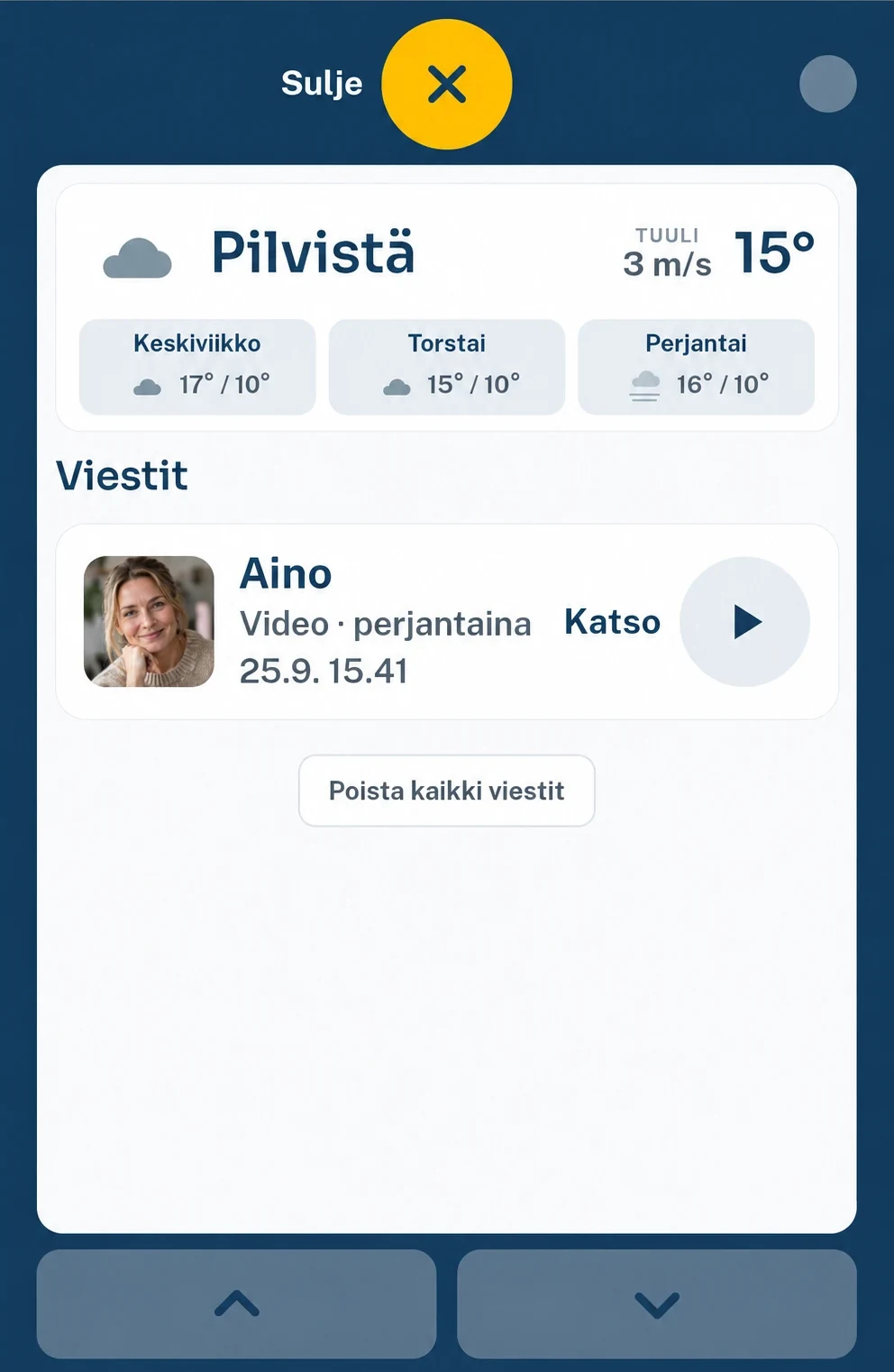
If the family administrator has switched voicemail on, you can leave a voice or video message to be opened later. The service also shows you the device's connection status. The connection status does not tell you, however, whether your loved one is at their device right now.
Are video calls recorded?
Ordinary video calls are not recorded. Voice and video messages that are left separately in voicemail are saved so that the recipient can open them later. They are deleted automatically after 30 days.
How is the app installed on my loved one's device?
The Vieressa app is on Google Play (Android) and the App Store (iPhone and iPad): search the store for Vieressa or use the store badges on this site. On a computer the service works in the Chrome or Edge browser without installing anything. In the app an incoming call rings like a normal phone call, also on a locked screen; in a browser an incoming call only appears while Vieressa is open on the screen.
What happens after the trial?
At the end of the trial you subscribe: €11.90/month per loved one. The trial does not turn into a paid subscription by itself. If you do not subscribe and provide a payment card during the trial, the service stops working when the trial ends, until you subscribe. The subscription starts on the day you activate it.
Does the service switch on the camera automatically?
An ordinary call only starts when your loved one presses Answer. The service also has automatic answer. By default no one has the right; the family decides who gets it. Then their device shows on screen who is connecting the call, and the call opens after 15 seconds unless they press Not now.