
For your loved one: their own connection to the people who matter
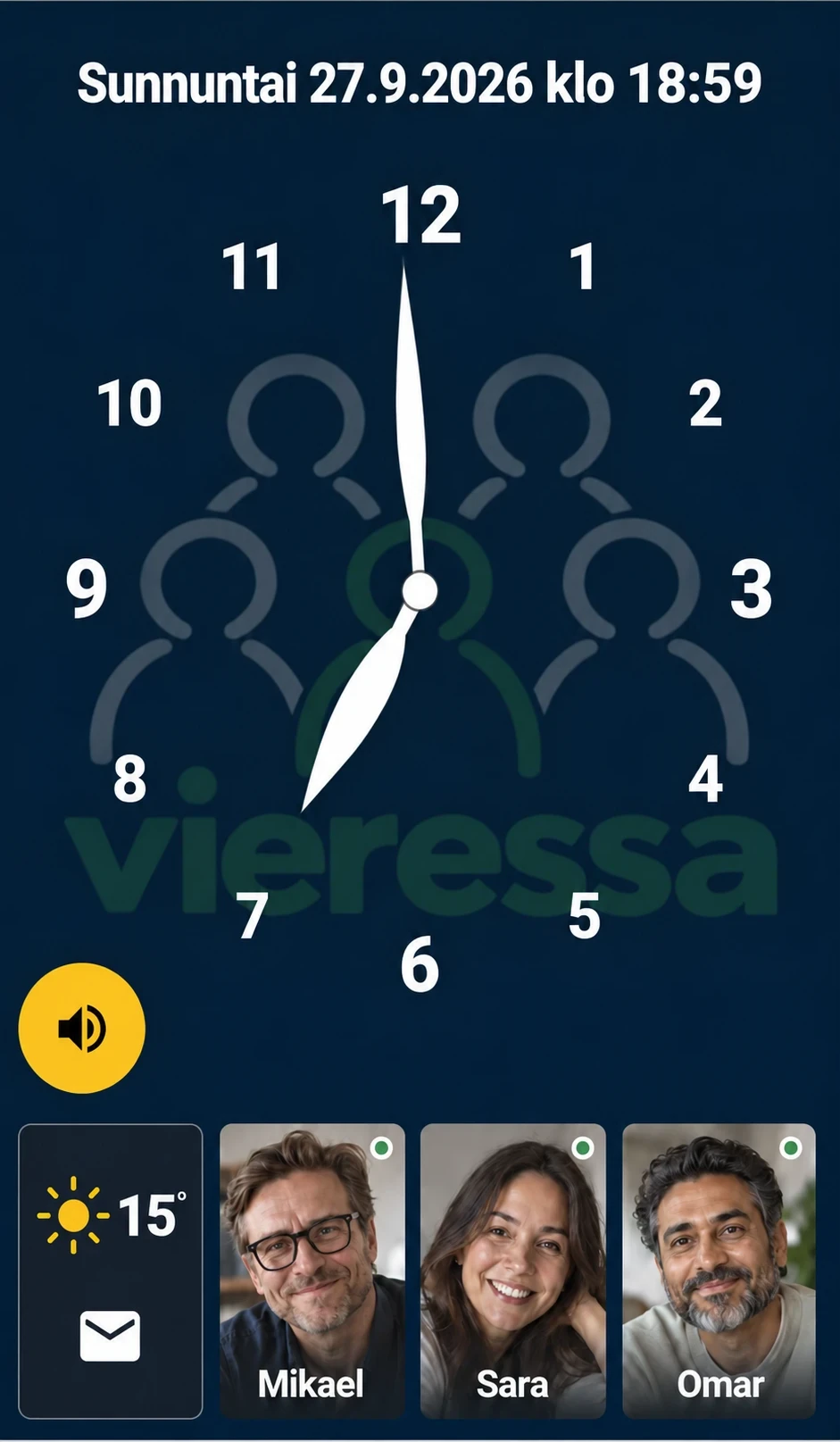
Touch the screen and familiar faces appear. Call by tapping the photo of the person you want to talk to. You answer an incoming call with a single button.
An easy video calling service for loved ones
Vieressa is a video call without menus, logins or phone numbers.
A free one-month trial on the Plus tier without a payment card. Your loved one needs a tablet or smartphone and an internet connection.
Vieressa is for a person for whom the apps, menus and small buttons of an ordinary phone make keeping in touch difficult. Most often that is an ageing parent or grandparent – but the same need can arise for many other reasons.
Touch the screen and familiar faces appear. Call by tapping the photo of the person you want to talk to. You answer an incoming call with a single button.
Call from your own device and share a small moment of the day. The service also shows you whether your loved one's device is connected to the network.
Several family members can belong to the same family circle. Everyone calls from their own device, and family members can add photos to your loved one's device.
Set up the service together with your loved one and finish with a first test call. You take care of the account and the device settings. Your loved one uses a clear call screen.
Call one to one or gather in the same video call. Up to four people can take part in a group call.
The photos you share appear on your loved one's device between calls too. A grandchild's drawing or a photo from a weekend outing gives you something new to talk about on the next call.
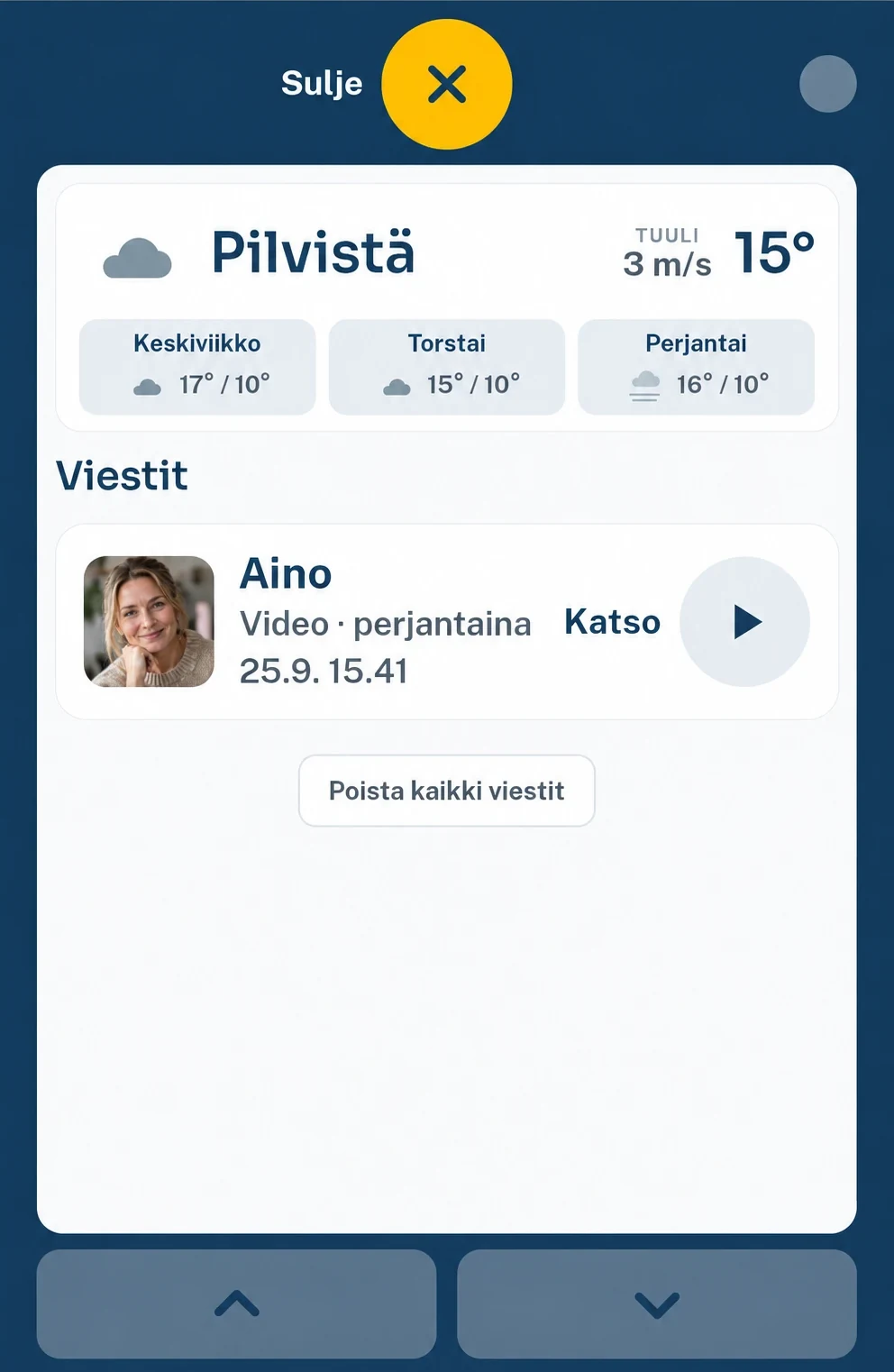
If your loved one can't answer, you can leave a video or voice message when voicemail is enabled. They can open the message on their own device.
The clock, the day of the week, the date and the weather are all on the same screen.
Between 22:00 and 07:00 the screen goes dark when the device has not been touched for five minutes, showing only a dim clock. An incoming call wakes it up.
Your loved one's device shows only the people who belong to their family circle. Everyone uses the service with their own account.
Ordinary video calls are not recorded. If voicemail is enabled, voice and video messages that are left separately are saved so that the recipient can open them later. They are deleted after 30 days.
The service is provided by the Finnish company Here and Now Consulting Oy. The app, the database and the video call server run on Google Cloud in Hamina, Finland. Our Privacy Policy explains what data we process, what it is used for and how you can ask for it to be deleted.
Press Request an invitation and tell us briefly who you are considering the service for. We will email you a link for creating your account. The one-month trial starts as soon as the account is created, and no payment card is needed.
Vieressa is a video calling service that turns your loved one's tablet or smartphone into an easy video phone. Your loved one brings up the photos of the people who matter by touching the screen and calls the person they choose by tapping their photo. They answer an incoming call with a single button. Other family members use the service on their own devices.
Vieressa is designed especially for an older loved one who finds using an ordinary phone or apps difficult. During the trial you can find out together whether the service suits your everyday life.
You help with the setup and prepare their device. Your loved one brings up their contacts by touching the screen and calls by tapping the photo of someone familiar. They answer an incoming call with a clear button. Practise these together the first time. Your loved one does not need a password for ordinary calling and answering.
No. Your loved one's device is obtained separately and is not included in the service. You can use a device you already own if it meets the requirements. The app runs on Android devices (Android 12 or later) and on iPhone and iPad (iOS 15 or later). A large screen (at least 10 inches recommended) makes it easier to use, because faces and buttons appear large on it; a smartphone works too. More in the guide Prepare your loved one's device.
Yes. Your loved one's device and the other devices taking part in the call need an internet connection. The device can be connected, for example, to the home wireless network or to a mobile router. A smartphone can also use its own mobile data.
Yes. A friend or a caregiver can also belong to the family circle, and everyone uses the service with their own account. The family administrator invites them by email from the Family page. One payment covers the whole family circle.
If voicemail is enabled, you can leave a voice or video message to be opened later. The service also shows you the device's connection status. The connection status does not tell you, however, whether your loved one is at their device right now.
Ordinary video calls are not recorded. Voice and video messages that are left separately in voicemail are saved so that the recipient can open them later. They are deleted automatically after 30 days.
Yes. The Vieressa app runs on iPhone and iPad (iOS 15 or later) and on Android phones and tablets (Android 12 or later). On a computer the service works in the Chrome or Edge browser. In the app an incoming call rings like a normal phone call, also on a locked screen; in a browser an incoming call only appears while Vieressa is open on the screen.
At the end of the trial you choose a plan for your family: Basic €7.90/month or Plus €11.90/month. The trial does not turn into a paid subscription by itself. If you do not choose, the family still has a 14-day activation period; after that the family cannot call your loved one until a plan is chosen, but your loved one can always call you.
An ordinary call only starts when your loved one presses Answer. The service also has a forced call feature, which is not enabled for anyone by default. If it has been specifically allowed for a family member, your loved one's device shows on screen who is connecting the call, and the call opens after 15 seconds unless your loved one presses Not now.